Dronefront ESP Script
Drone and player ESP with Rayfield GUI — use at your own risk.
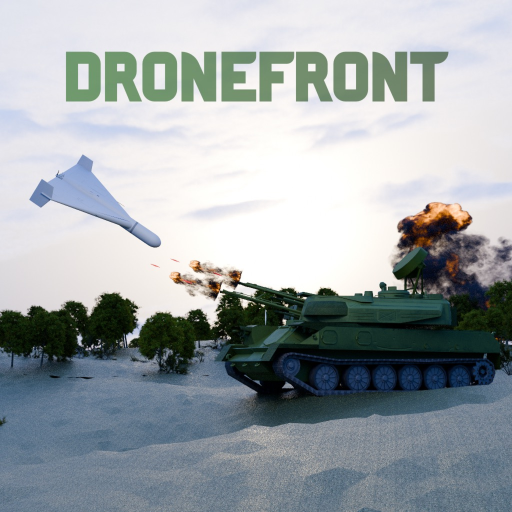
This page documents a Dronefront ESP script with a Rayfield menu for drones and players. It is popular with people who want wallhacks-style awareness in the Roblox sandbox. Using it can violate Roblox rules and cost your account. Prefer skill guides such as FPV Controls and the Defender Guide whenever possible.
Risk disclaimer
Third-party executors and injected Lua are against Roblox Terms of Use. You may be banned. Do not enter your main account password anywhere outside Roblox. This wiki does not provide executor downloads.
Script
loadstring(game:HttpGet("https://raw.githubusercontent.com/caruno-git/drone/main/DronefrontESP.lua"))()Feature list
- Drone ESP: box, name, distance, speed in km/h, altitude, status (armed / hit / falling)
- Player ESP: box, name, team tag, distance, weapon, health bar
- Model-attached boxes that stay stable on 1080p, 1440p, and 4K
- Tracers, center dots, off-screen arrows, and chams
- Visibility checks and team checks
- Pilot detection for players sitting inside drones
- Marker for your own drone with radius and latch helpers
- Far mode with simplified dots and names at long range
- Scaling tab with monitor presets plus manual scale/offset
- Configurable distance limits, colors, thickness, and text size
- Config saving between sessions
- Menu languages including English, Russian, and Spanish
- Keyless script with K to hide or show the menu
How to use
- Join Dronefront in Roblox.
- Inject with an executor you already trust on an account you accept losing.
- Run the loadstring above.
- When the Rayfield menu opens, pick your language on the main tab.
- Enable only the ESP modules you need under Players and Drones tabs.
- If overlays look offset, open the Display tab and choose a monitor preset.
- Press K to toggle the menu while fighting.
Fair-play alternatives
If you only wanted awareness, these pages help without exploits:
- Map Targets for infrastructure lanes operators love
- Teams Overview for reading enemy roles faster
- Weapons Tier List for anti-air upgrades like Verba
- Earn Fragments so you can buy legitimate utility faster
- How to Play for session fundamentals
When scripts break
Dronefront updates often. Town remakes, AI drone reworks, and anti-cheat passes can invalidate ESP hooks overnight. If the script errors:
- Rejoin a fresh server.
- Confirm you are in the correct place ID for Dronefront.
- Disable conflicting scripts.
- Fall back to normal play instead of hopping through unsafe “fixed” pastebins.
What ESP shows that skill can replace
Drone ESP modules highlight armed status, falling drones, and pilot seats. Legitimate players get much of that from audio cues and team callouts. A diving KVN screams on approach; Shahed-238 leaves a longer trail; Defenders with Portable Radar knowledge rotate before impact. If you wanted ESP only to avoid surprise dives, spend two lives on Defender Guide rooftops instead — you will learn ingress lanes Operators repeat every session.
Player ESP with team tags and weapon labels helps newcomers who do not yet know Roblox nameplate colors. Teams Overview plus one Civilian stroll through alleys teaches the same information without injection risk.
Display tab and multi-monitor fixes
Misaligned boxes are the top complaint in Dronefront ESP threads. The Display tab presets exist because Roblox UI scale and monitor resolution change box math. If tracers point at empty sky, drop to 1080p preset first, then nudge manual scale before blaming the script. After Town Remake patches, re-check offsets — map geometry changes do not always break hooks, but UI scale bugs do.
Defender and Operator counter-play (no scripts)
Defenders counter ESP users the same way they counter good Operators: split roofs, call out launch direction, and save infrastructure instead of chasing kills. Verba timing punishes predictable final dives whether the pilot uses wallhacks or not. Operators with ESP still need Fragments, launch time, and repair loops — see Earn Fragments for why economy beats wall vision.
Civilians spotting FPV launchers near apartments or coastal lanes provide free intel. Roleplay callouts are allowed; stream sniping with ESP is not the same skill.
Comparison to other Dronefront script searches
Players also look for auto-farm, infinite Fragments, or God-mode scripts. This wiki only documents the Rayfield ESP because it is explicitly branded for Dronefront. Generic executors bundled with unrelated games are higher malware risk. If a pastebin title mentions “Drone Defense” or another Roblox title, it is not this experience.
Patch survival checklist
After Updates posts AI Drones Rework or anti-cheat notes:
- Expect silent failures until the script author republishes.
- Do not download “fixed” loaders from reply chains.
- Play one clean session on your main to reset behavior baselines.
- Re-read FPV Controls if you relied on ESP for altitude awareness.
Related pages
- Scripts Hub
- Operator Guide
- Civilian Guide
- Updates Hub
- Codes Hub
- Drones & Missiles for legitimate strike tools
Research carefully. The strongest advantage in Dronefront is still knowing the map and your team role.
Frequently Asked Questions
Quick answers to the most common questions.
Is this ESP keyless?
Yes. The documented loadstring is keyless, but that does not make it safe for your account.
What key opens the menu?
Press K to hide or show the Rayfield menu after the script loads.
Does it show drone altitude and speed?
Yes. The drone ESP module can display altitude, speed, distance, and status flags.
Can I get banned for using this?
Yes. Any injected script can lead to moderation action. Use an alt if you experiment at all.
Where is the scripts overview?
See the Scripts Hub for warnings and legitimate alternatives before running anything.