Dronefront Tools & Planners
Pick a team and plan Fragment spending before your next Roblox session.
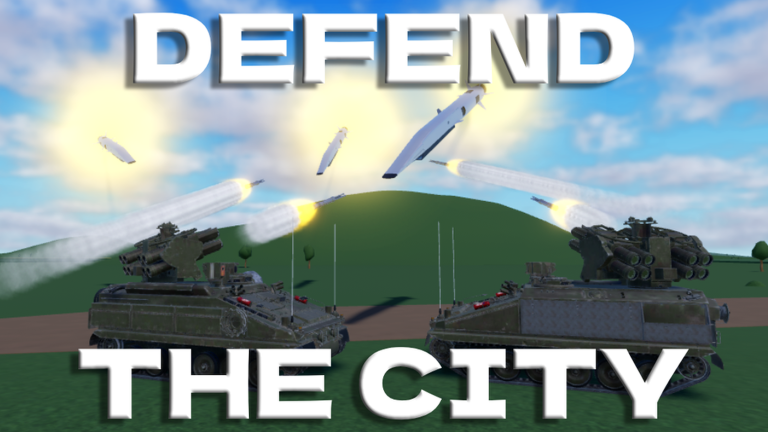
Welcome to the Dronefront Tools Hub. Guides explain how Civilian, Defender, and Operator roles work in Roblox, but sometimes you want a faster answer before you queue into a server. These on-page tools run entirely in your browser — no login, no data sent anywhere — and pair with the deeper tutorials across this wiki.
Tools available now
Team Picker
Not sure whether you should survive as a Civilian, hold rooftops as a Defender, or launch FPV as an Operator? The Team Picker asks two short questions about your playstyle and FPV experience, then suggests a starting role with links to the right guides. Use it on your first day or after a long break when you forgot which team felt best.
Fragment Planner
Fragments are the currency that buys drones, missiles, and anti-air gear. The Fragment Planner compares what you already have against a goal purchase, then suggests a spending order so you do not blow early earnings on novelty items. Pair it with How to Earn Fragments and Beginner Loadouts.
When to use tools vs guides
| Situation | Best resource |
|---|---|
| First time choosing a team | Team Picker then How to Play |
| Saving for Verba or a strike drone | Fragment Planner plus Drones Tier List |
| Learning FPV after picking Operator | FPV Controls — tools cannot replace flight practice |
| Event payout landed in your wallet | Fragment Planner, then Summer Event spending notes |
| Hunting Storm Shadow components | Storm Shadow guide — exploration beats calculators |
How these tools fit the wiki loop
A typical Dronefront session plan looks like this:
- Open the Team Picker if you are undecided.
- Read the matching role guide: Civilian, Defender, or Operator.
- Farm Fragments using routes from Earn Fragments.
- Plan the next purchase in the Fragment Planner.
- Validate gear choices against Weapons Tier List and Map Targets.
- Recheck Updates after patches so advice stays current.
Tools are not exploits
Nothing on this hub modifies Roblox, injects scripts, or automates gameplay. If you were searching for executors or ESP, read the risk notes on Scripts Hub instead — fair play plus map knowledge wins more sessions long term.
Pair tools with reference hubs
- Guides Hub for walkthroughs and events
- Codes Hub when promo rewards are active
- Tier List Hub before any big Fragment spend
- Players Hub for teams, drones, gamepasses, and reviews
- Links Hub for the official Roblox page and community destinations
Future tool ideas
As Dronefront grows, this hub may add loadout builders or event trackers. For now, Team Picker and Fragment Planner cover the two questions new players ask most: “Which team fits me?” and “What should I buy next?”
Use these tools between sessions, not instead of playing. The town teaches details no calculator can replace.
Example session plans using both tools
Brand-new account: Run Team Picker → play three Civilian lives → read Civilian Guide → bank Fragments → rerun picker if you want Defender or Operator → open Fragment Planner before first shop buy.
Defender saving for Verba: Planner with current balance and Verba goal cost → Defender Guide rooftop drills → confirm with Weapons Tier List → buy only when rotation feels automatic, not when frustration peaks.
Operator after Summer Event payout: Log ~1500 Fragments from Summer Event → planner splits Disruptor exclusivity vs KVN backup practice → validate strike targets on Map Targets.
What these tools deliberately omit
No FPV flight simulator lives here — only FPV Controls and live servers teach throttle discipline. No Storm Shadow component map — use Storm Shadow guide for badge hunts. No code redeem button — see How to Redeem when promos exist.
Mobile and low-spec notes
Both widgets are lightweight HTML forms. They work on phone browsers for planning between classes or commutes. Roblox itself may feel tighter on mobile Operator lives; the picker still helps you choose whether to practice FPV on desktop first.
Frequently Asked Questions
Quick answers to the most common questions.
Do Dronefront tools require a Roblox login?
No. They run locally in your browser as planning helpers. You still launch the game separately from the official Roblox page.
Which tool should I use first?
New players should start with the Team Picker, then open How to Play and the role guide it recommends.
Can the Fragment Planner spend currency for me?
No. It only suggests a purchase order. You still buy items inside Dronefront with Fragments you earned in-game.
Are these tools official?
No. They are fan-made helpers on this unofficial Dronefront wiki, separate from DEL Interactive.
Where do I go after using the tools?
Open the Guides Hub, farm Fragments, and compare gear on the Tier List pages before your next shop purchase.